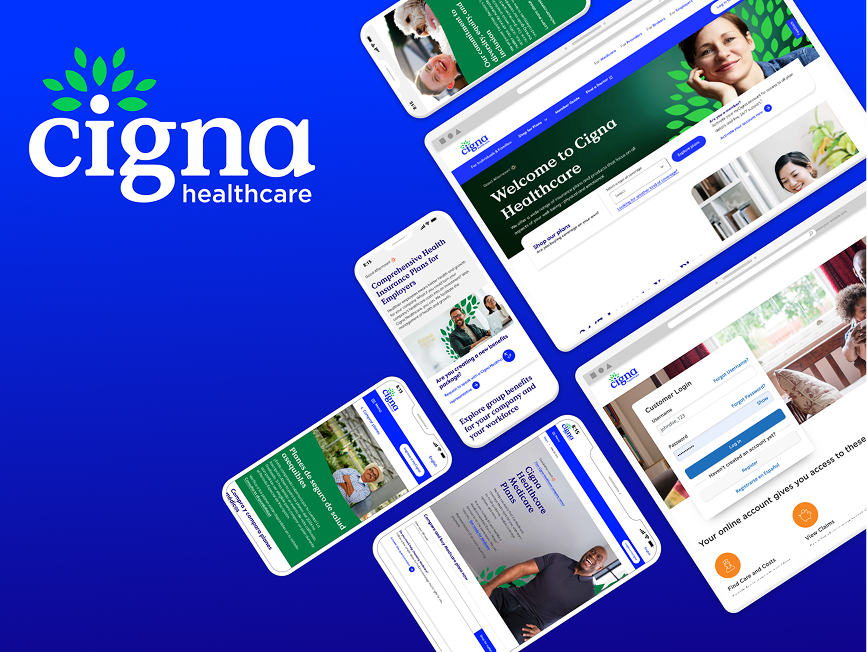
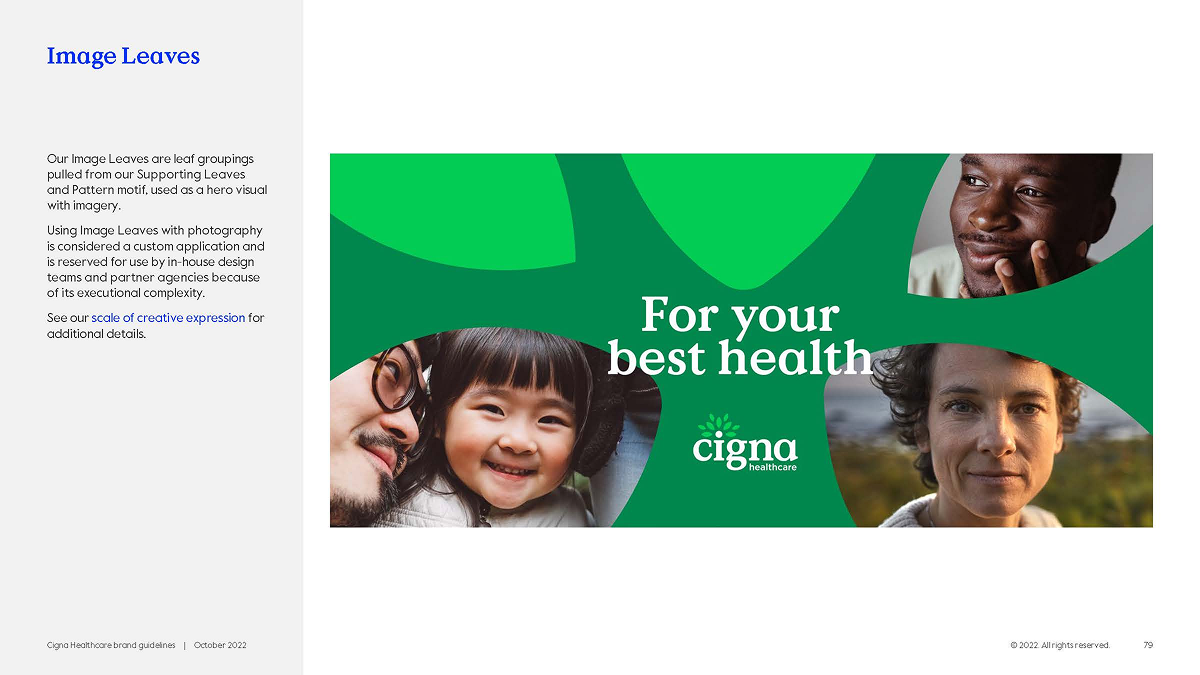
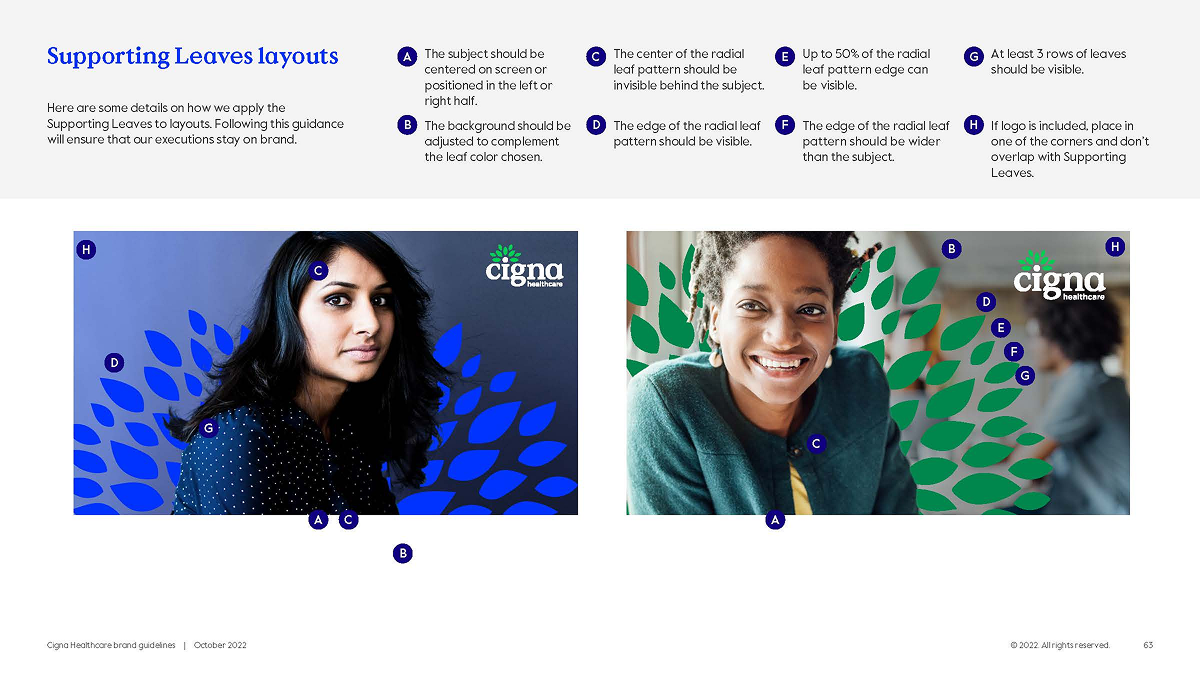
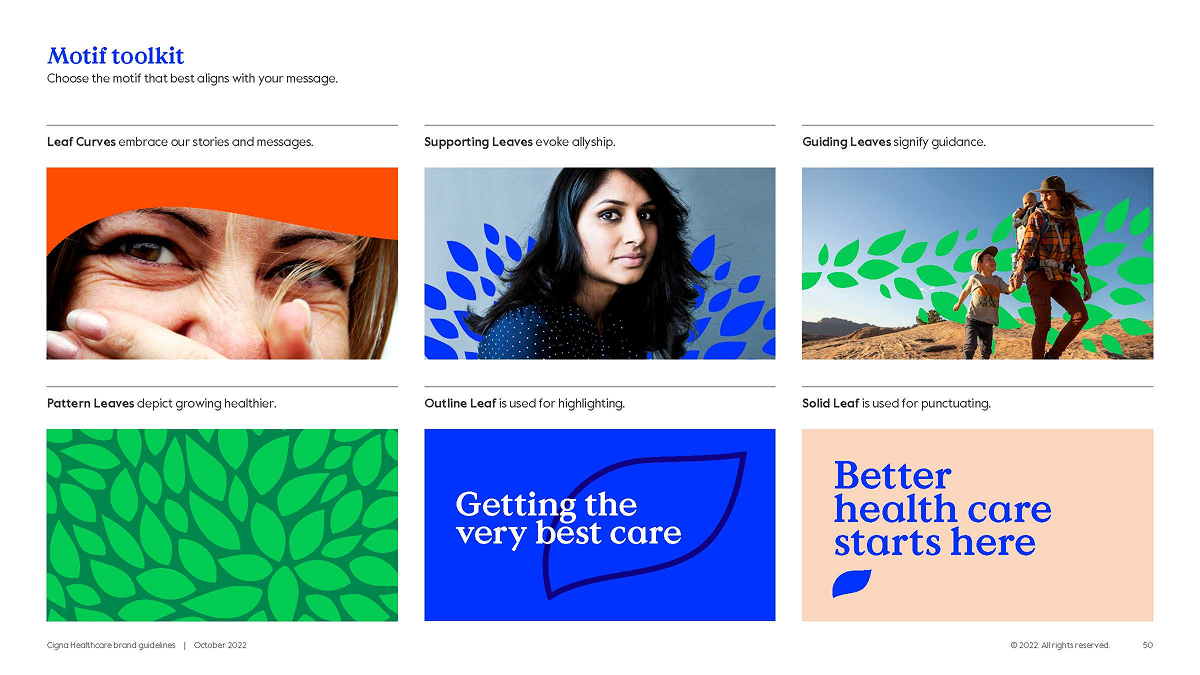
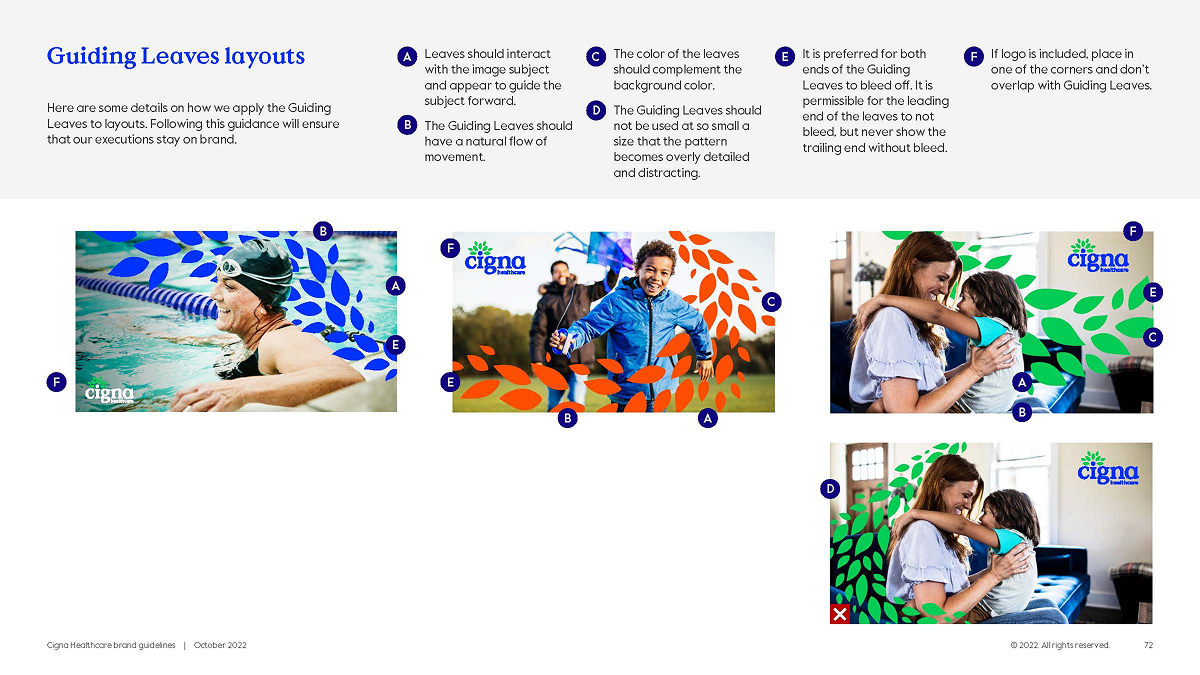
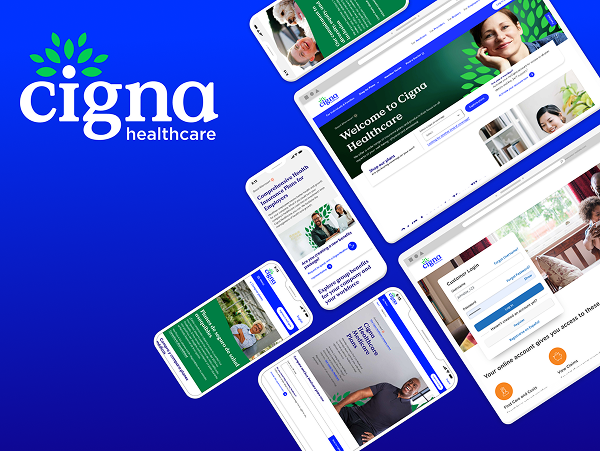
cigna-healthcare-homepage-card

Achieving Brand Consistency and Accessibility: A comprehensive UI Design System for Cigna Healthcare

ο»Ώcigna-green-leaf-motif Rebranding Initiative Team

Design Systems:

Senior Product Designer (Me)

Senior Application Development Advisor

5 UI Designers (offshore team)

Branding:

Design Operations Manager

VP Brand & Creative

4 Brand Designers (onshore team)

ο»Ώcigna-green-leaf-motif Design Process

Rebranding Cigna’s digital presence in the healthcare space.

  1. Audit the current state of Cigna’s fragmented digital ecosystem.
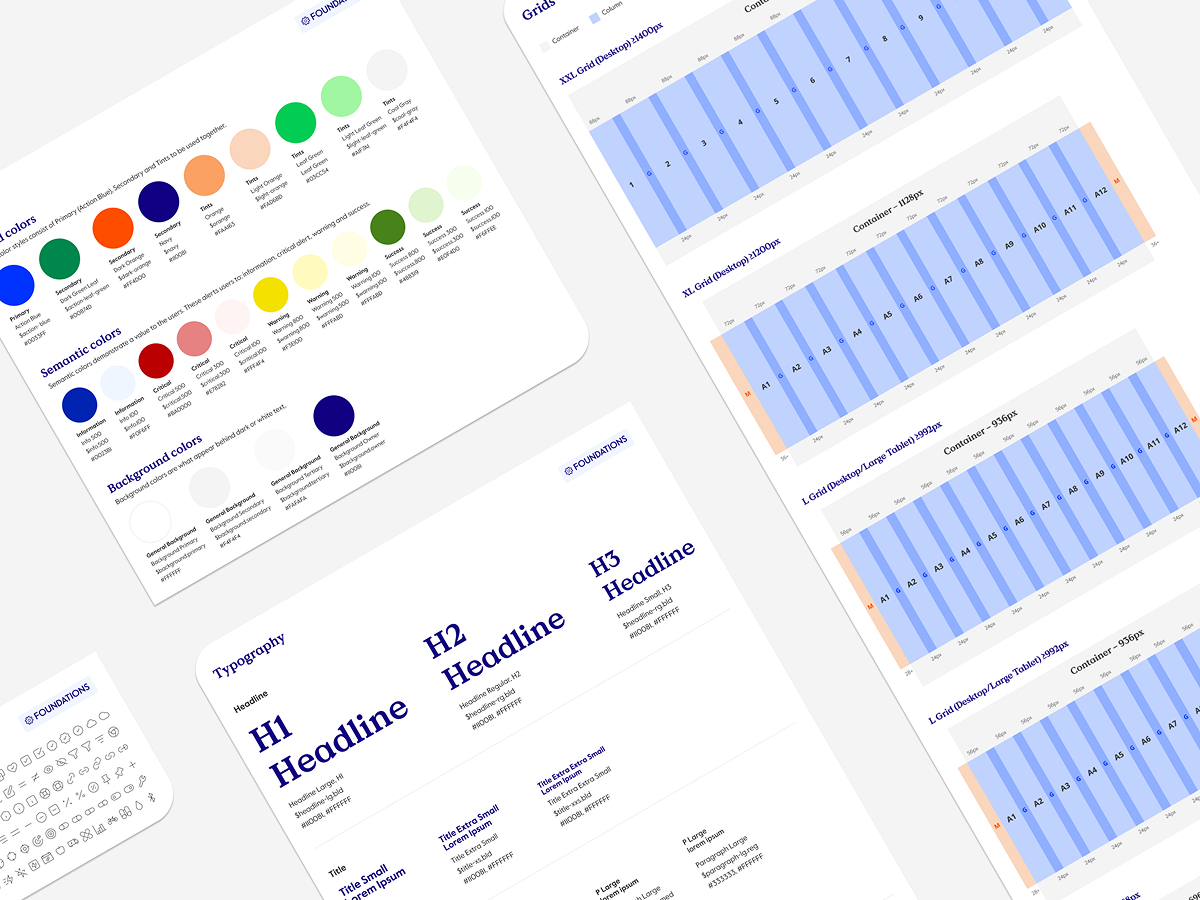
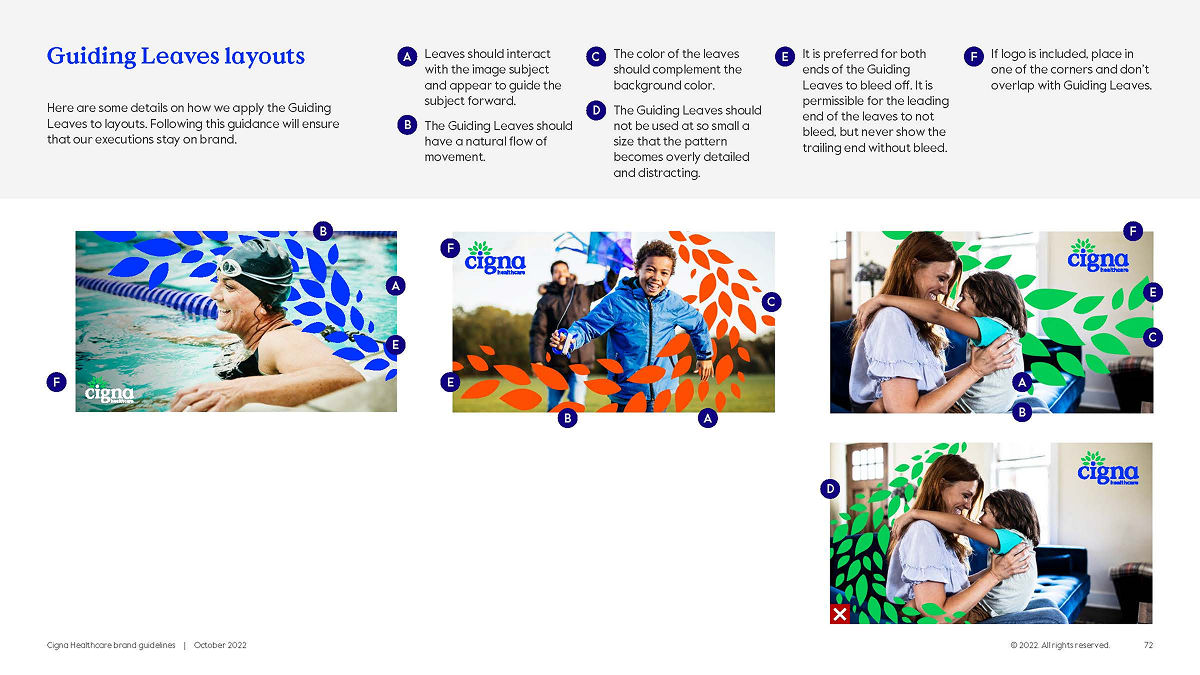
  2. Design the brand foundation for a more modern, visual identity for both digital assets and UI components.
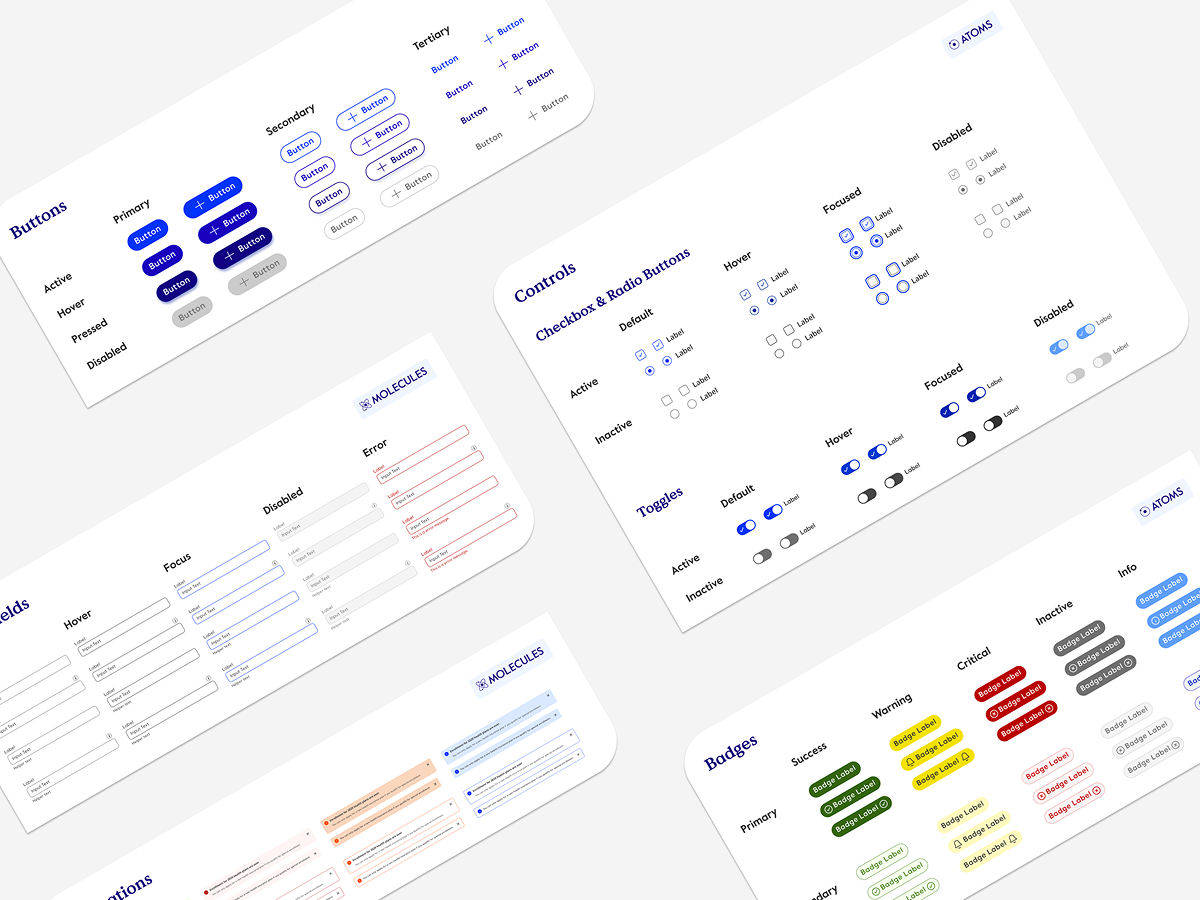
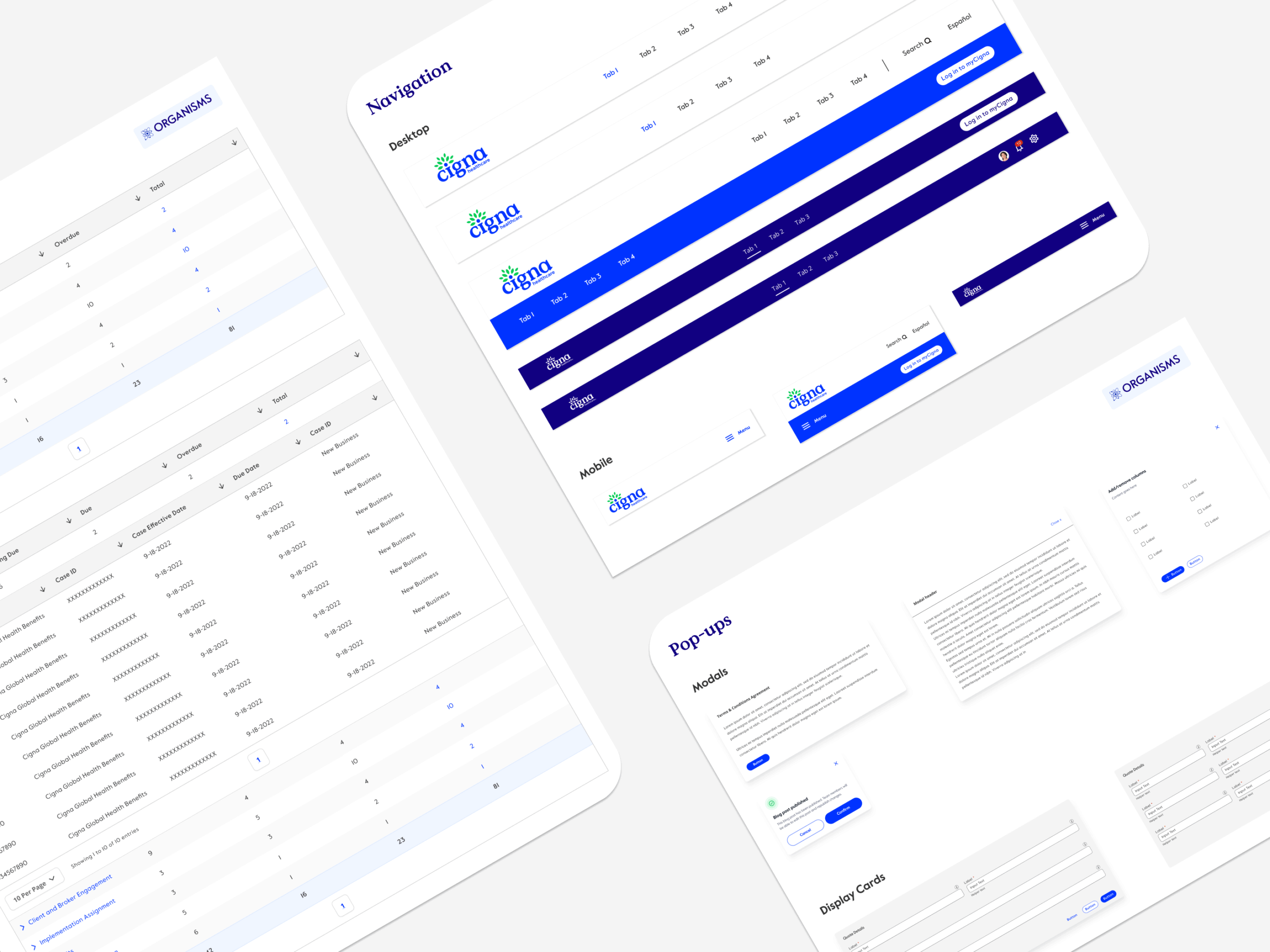
  3. Build a UI design system using Atomic Design Principles.
  4. Validate with real designers on adjacent teams.
  5. Implement at scale with new, updated brand identity and design system components.

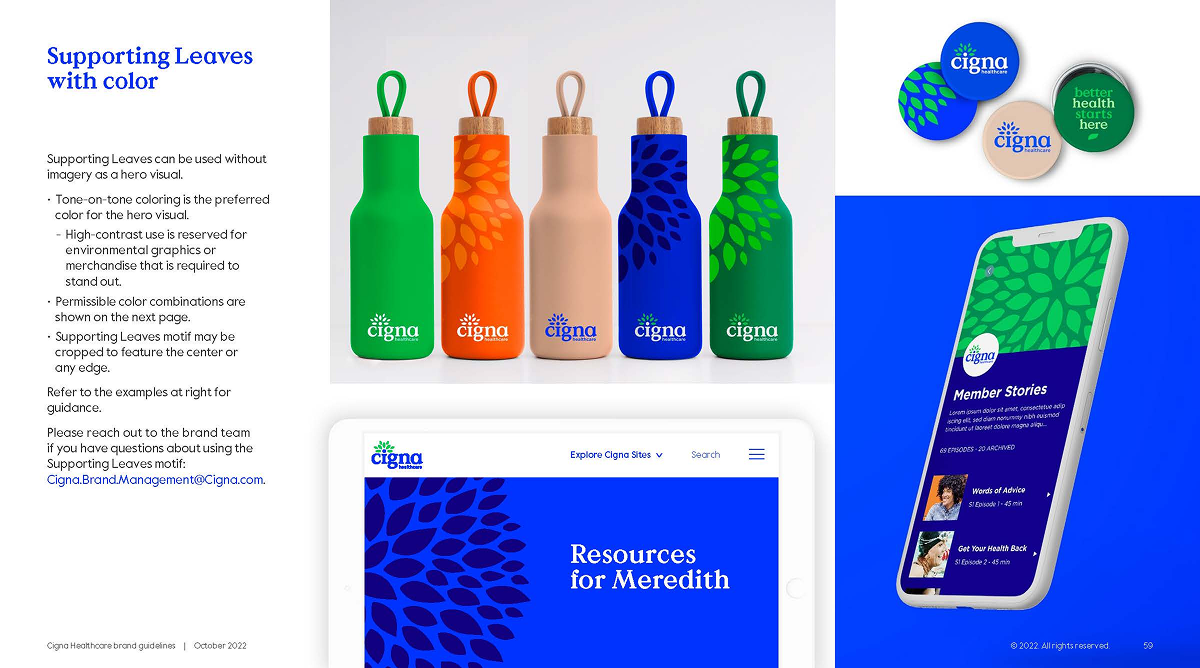
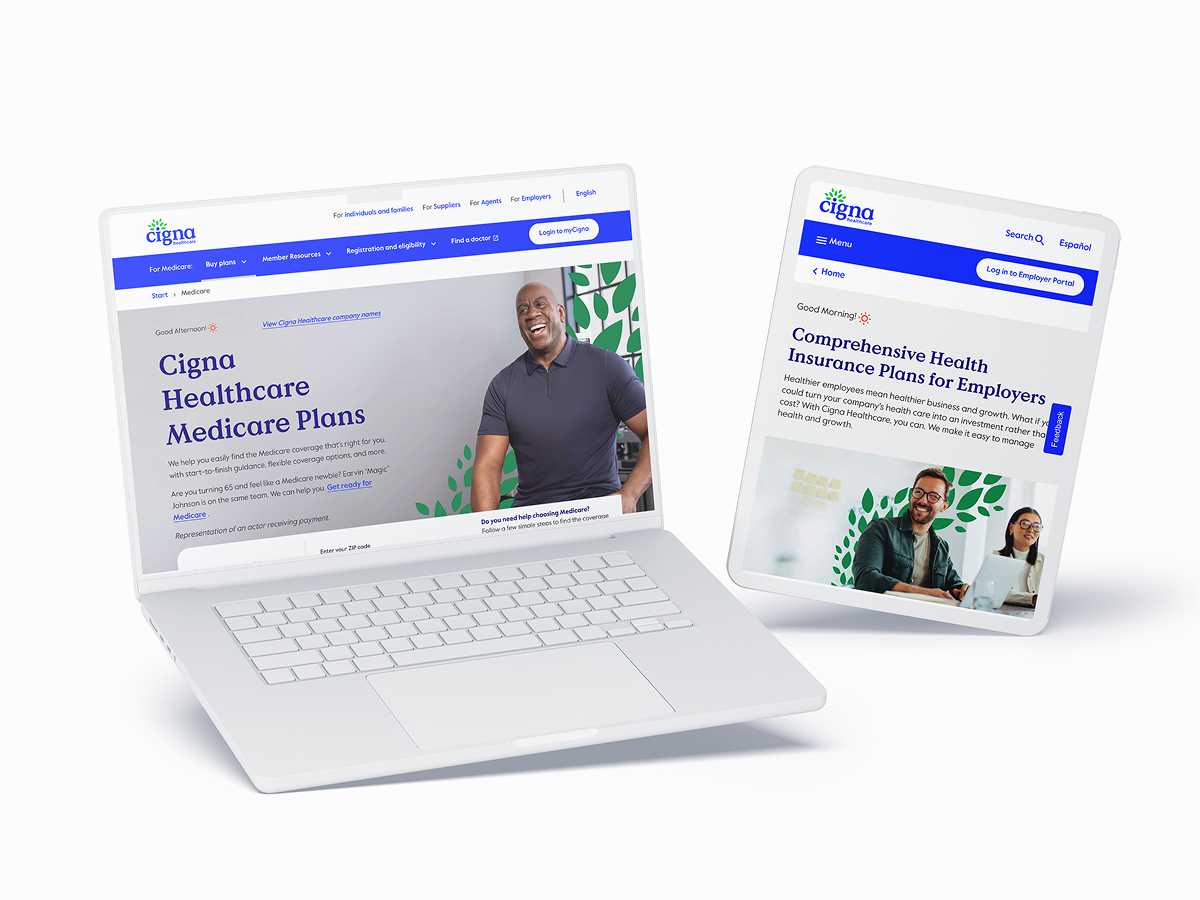
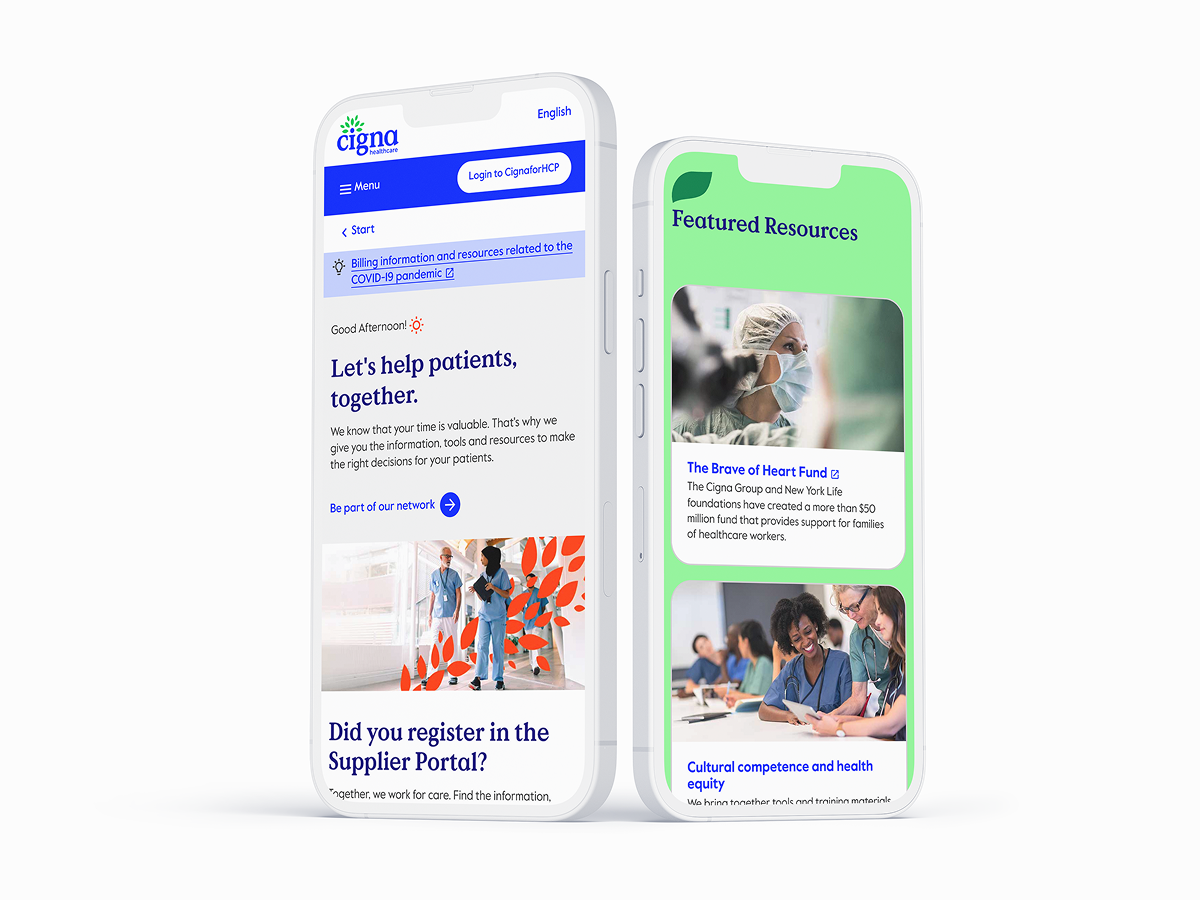
The Transformation

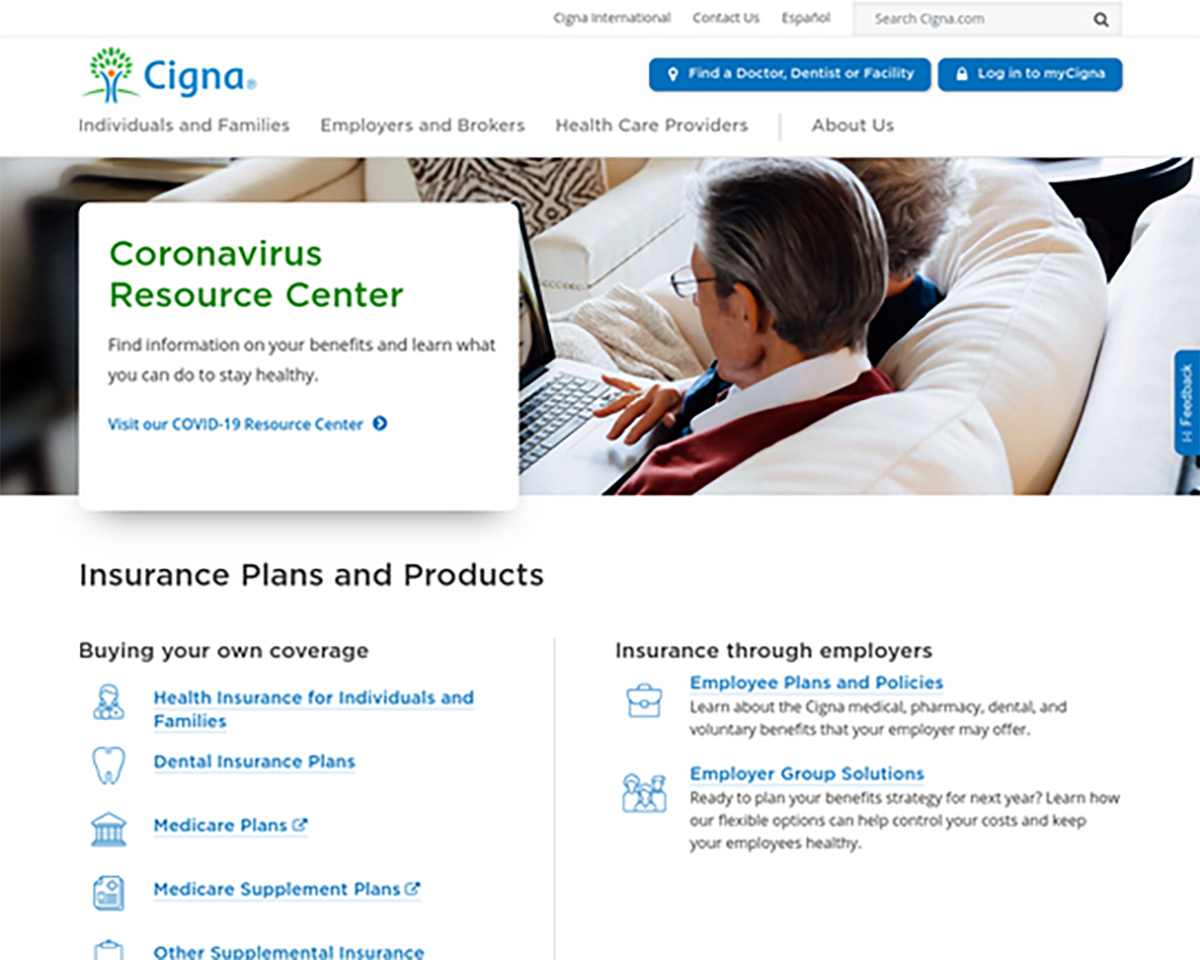
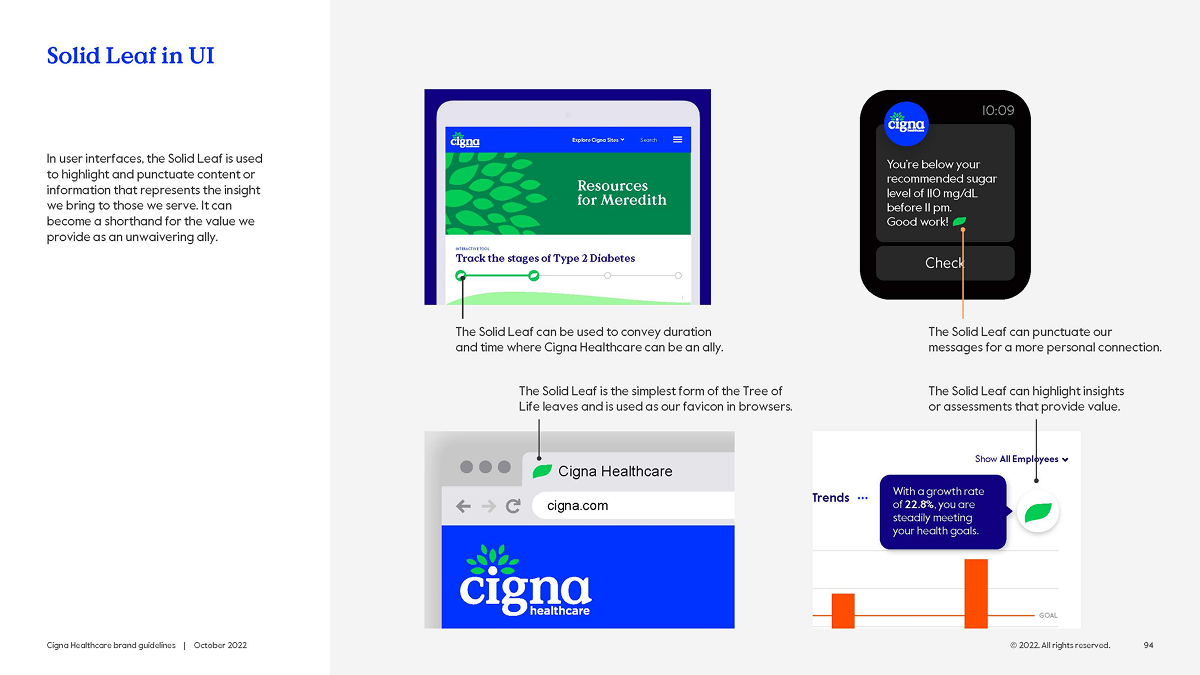
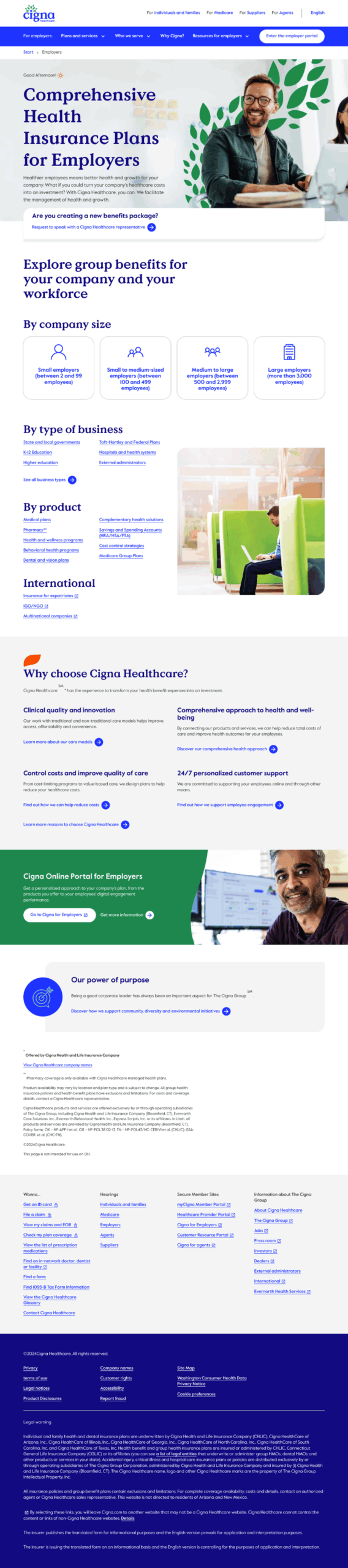
Old Cigna UI Design – COVID 2020

cigna-old-website

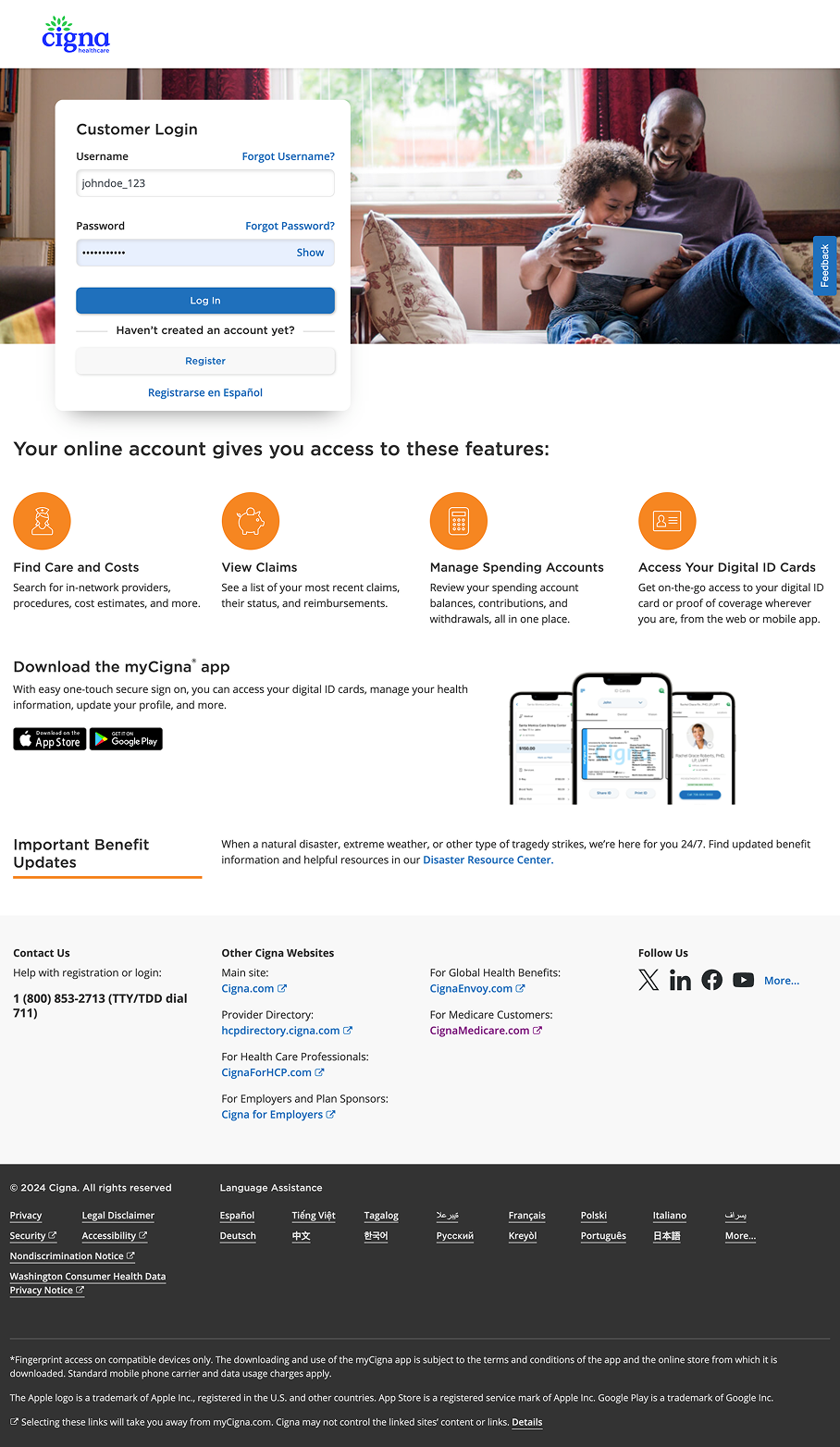
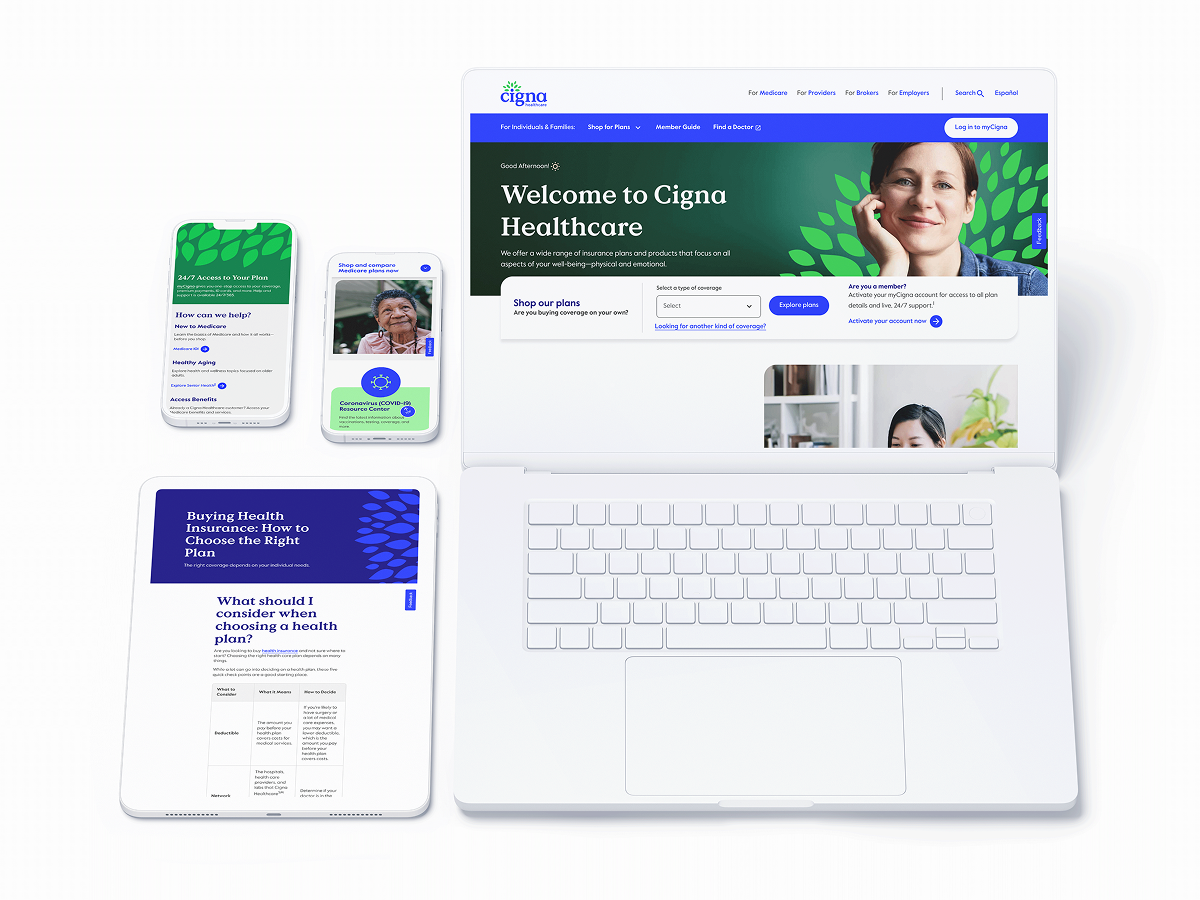
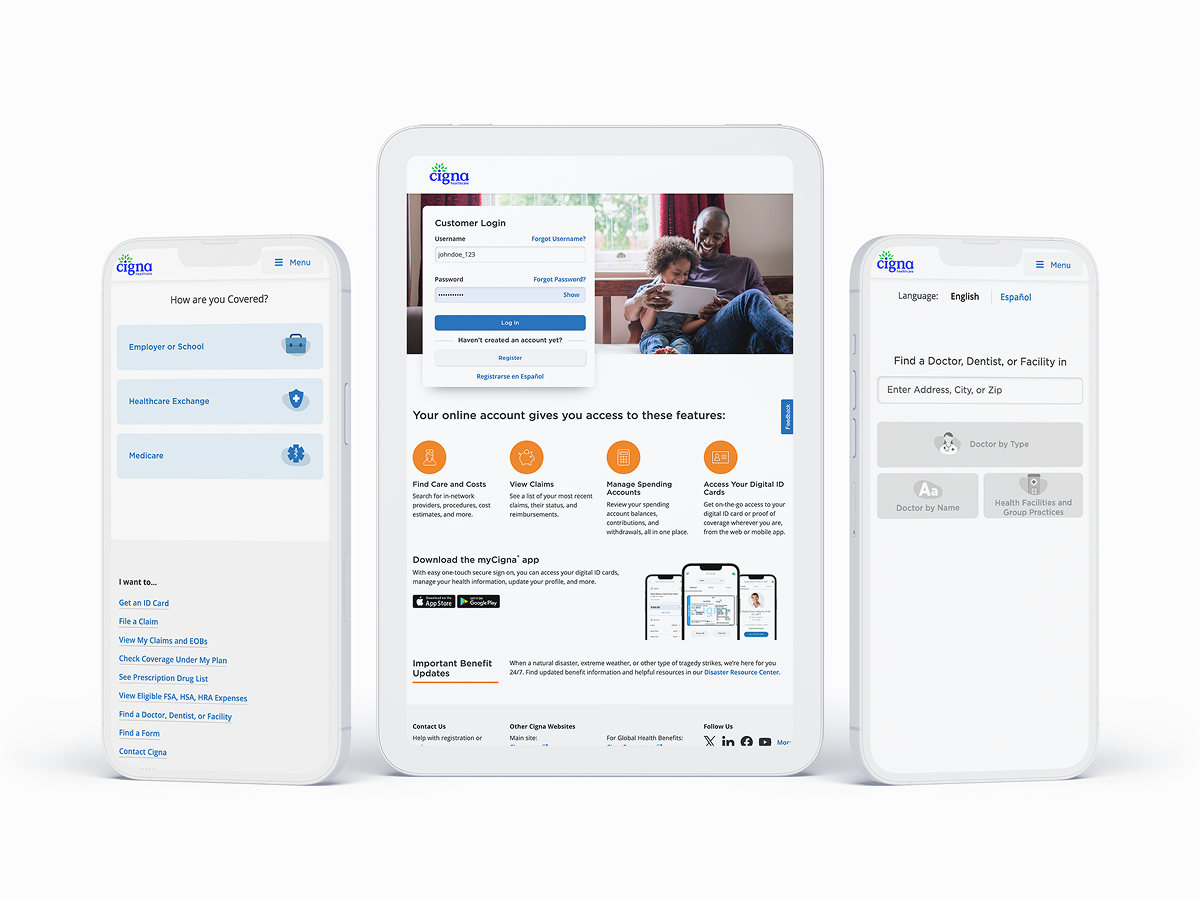
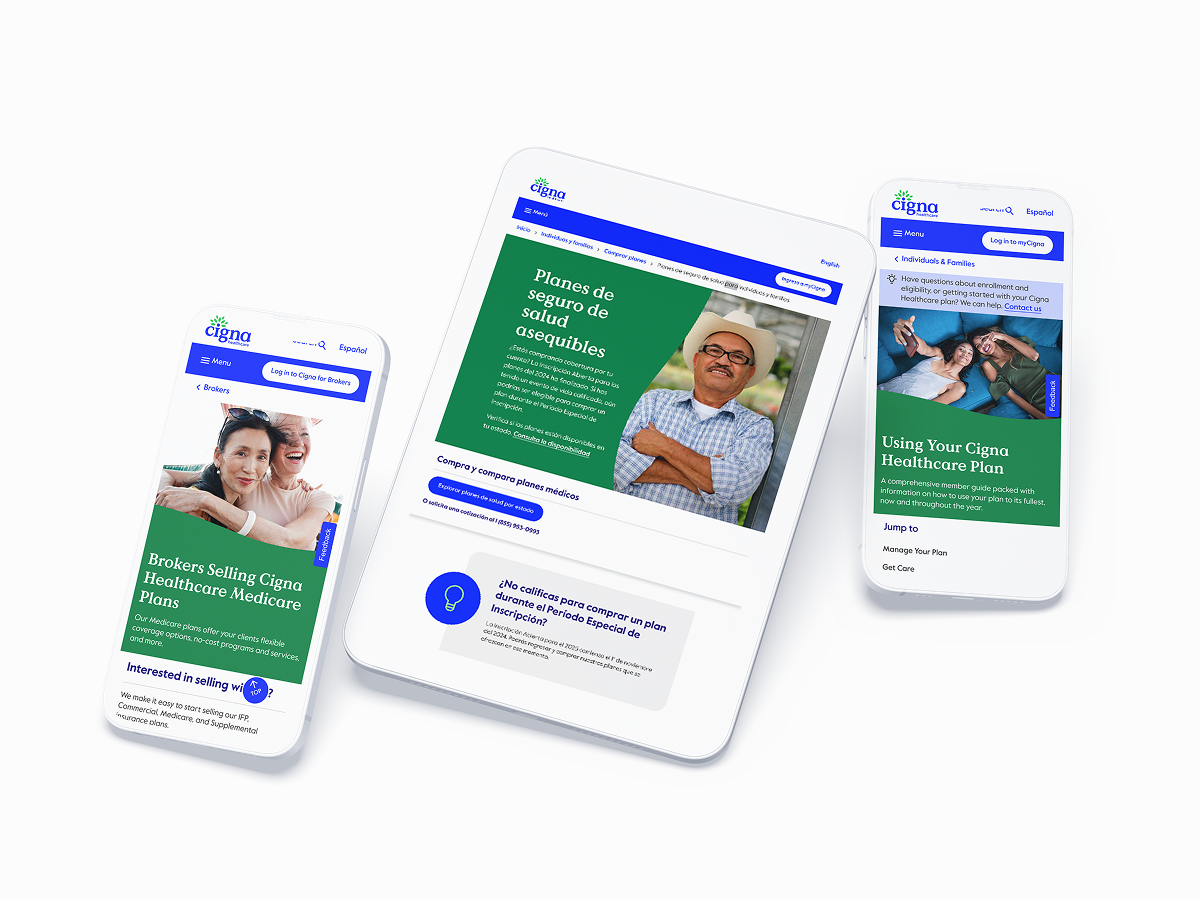
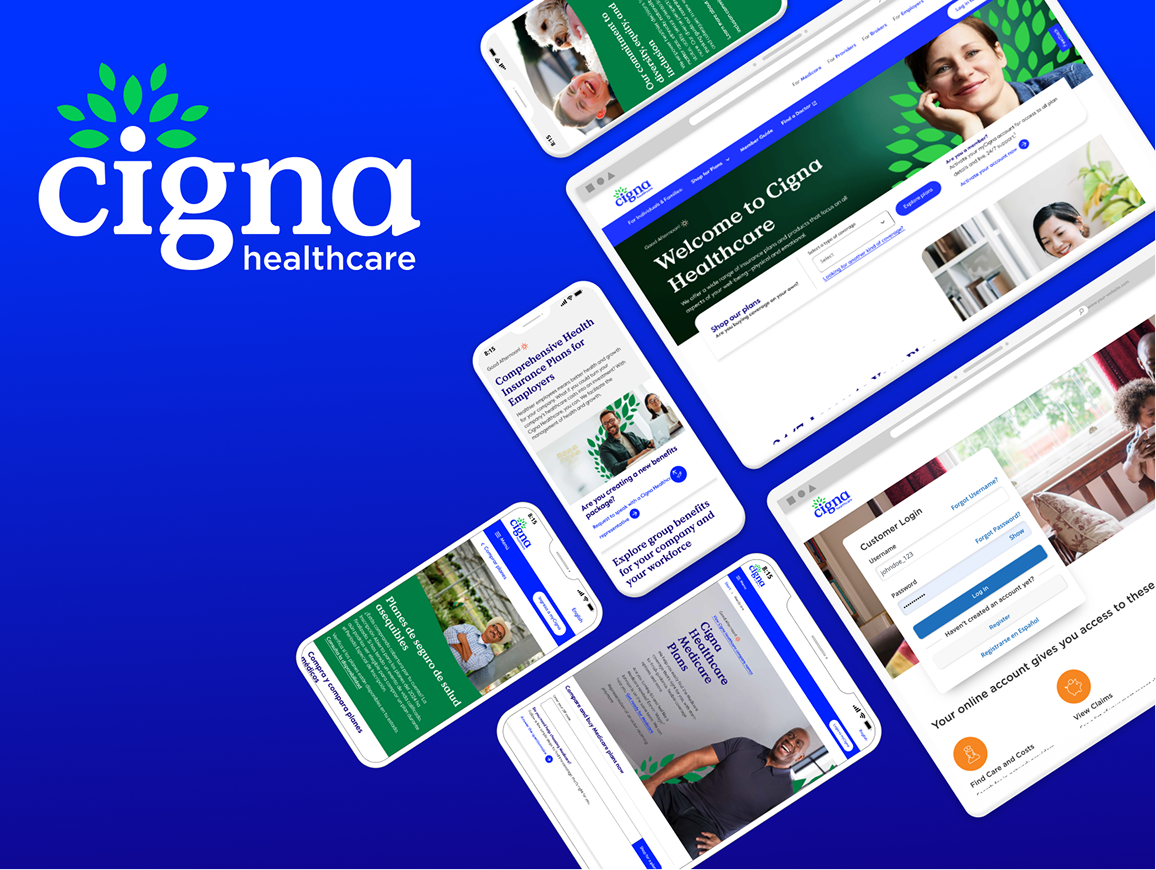
Updated UI Cigna Design – Post-COVID

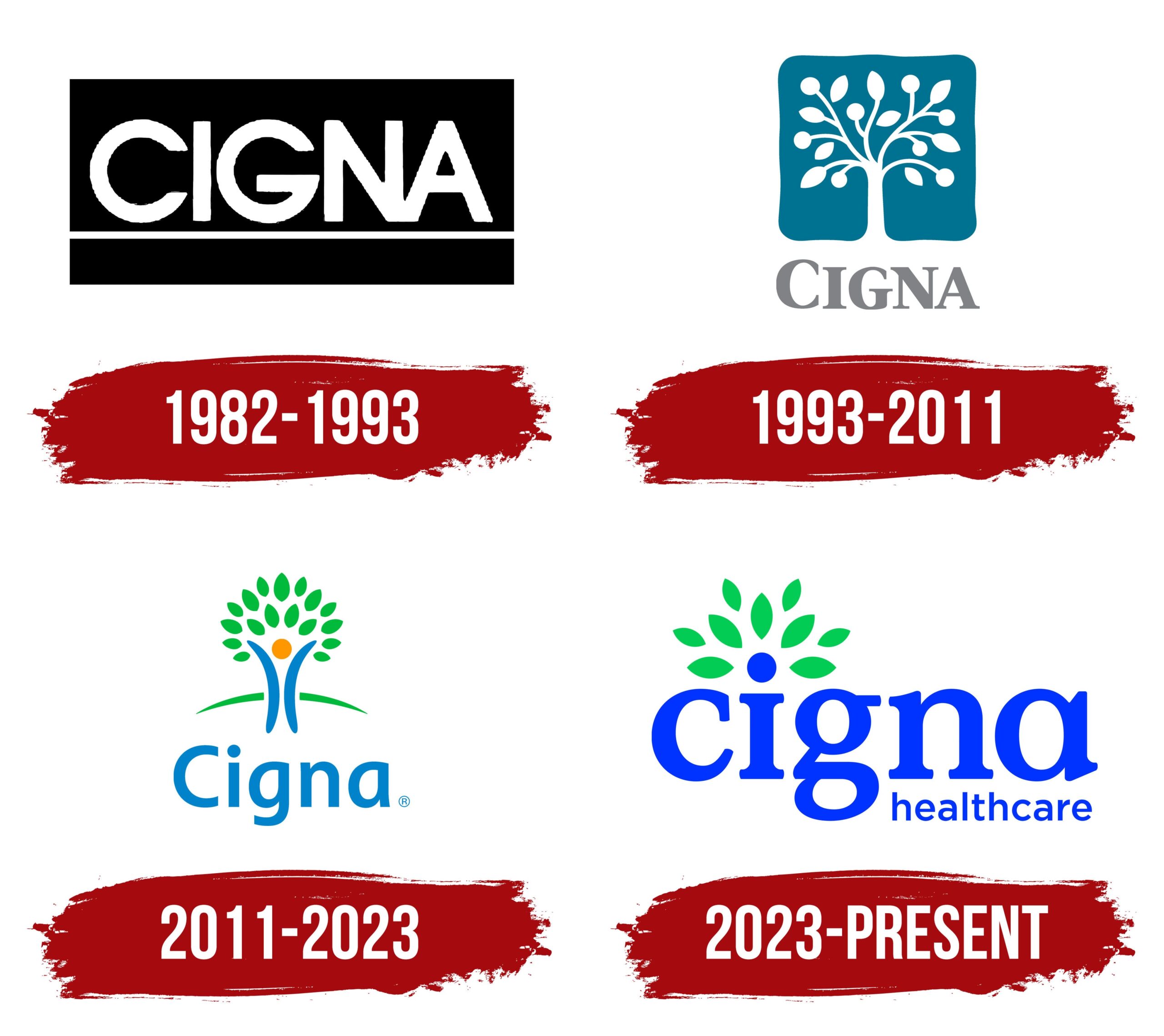
cigna-healthcare-logo

Key Metrics

  • β¬‡οΈŽ 40% reduction in development time
  • β¬†οΈŽ 90% increase in design consistency
  • β¬‡οΈŽ 75% decrease in accessibility bugs

Overview

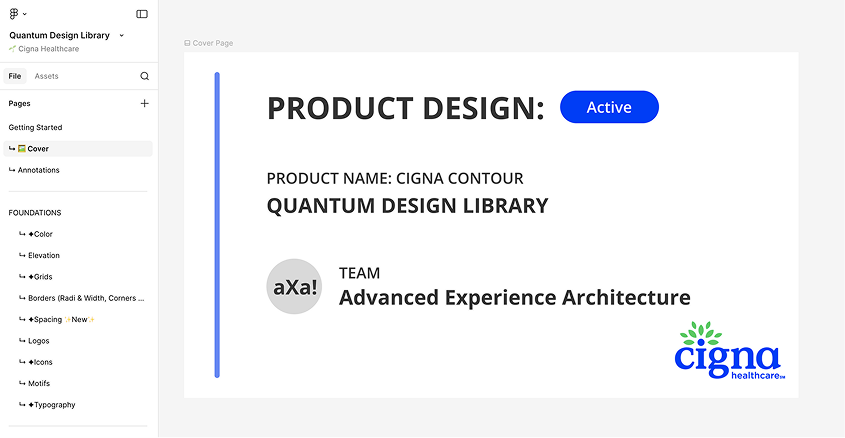
Build a refactor document and scale Cigna’s Quantum UI Design System components inside Figma libraries and establishing a cohesive relationship and operating cadence with engineering. In addition, teaming with branding side to fully modernize digital assets.

Where to Start?

Audit Stage

Prior to this team forming, Cigna had no official UI Design System: Components were designed manually in Figma by siloed design teams within the organization.

After running an audit on a handful of categories, some examples were:

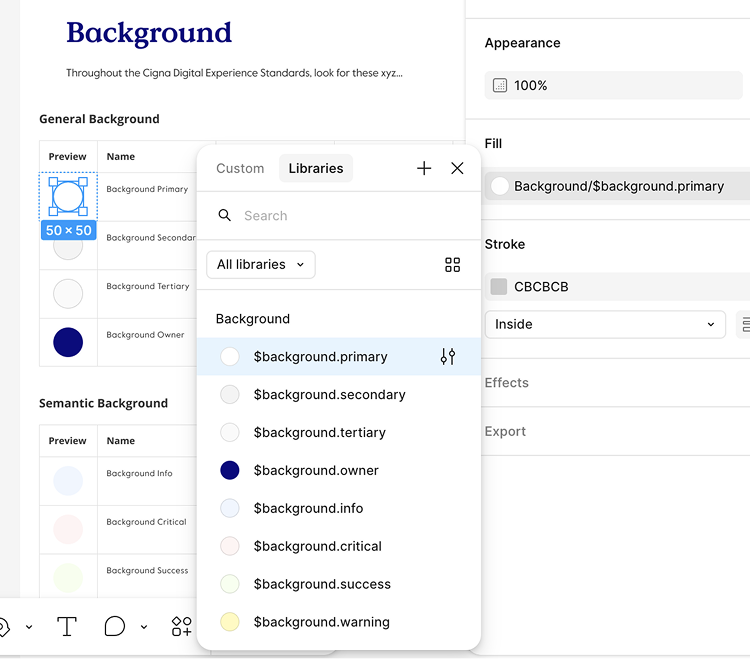
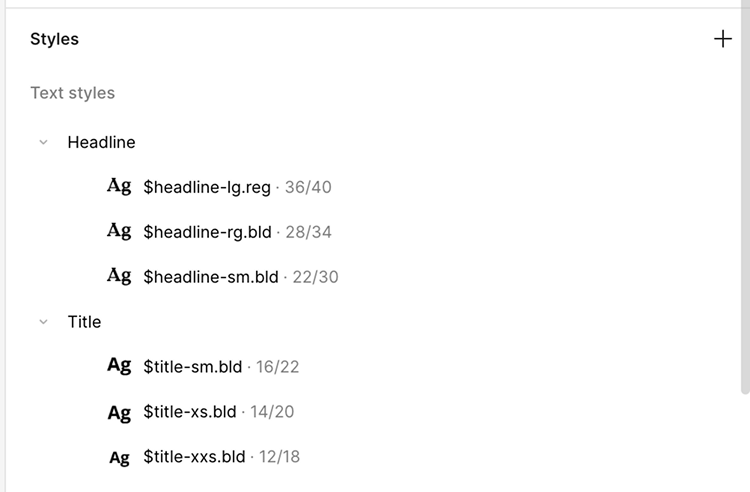
  • Foundations and general maintenance – colors, typography, states, grids and the basics

  • Figma architecture – are the screens laid out intuitively? Are they matching developer semantics?

  • Components – which components are the most needed and most used?

Considerations

Working on a small team as the lead for design systems meant that I had some limited time developing the Figma side of the design system. I couldn’t spend months of developing the perfect strategy, so I had to take an iterative (very iterative) approach. Thankfully, Engineering had standardized many of the foundations such as color, scale, grid and icons so I had a solid base to work off of.

Working with engineering and design leadership stakeholders, we worked towards just getting the information in one centralized area for designers and just getting the information out there.

Task: User Research

Applied Analytics to User Pain Points

Data from 3rd-party user interviews revealed that users were abandoning the platform due to complex workflows and lack of real-time feedback.

  • Customer Effort Score (CES) – Baseline measurement at 6.3 points revealed high friction
  • First-Time User Experience (FTUE) – Initial score of 2.5 indicated poor onboarding
  • Help request analytics – 8% help rate showed users were struggling
  • Task completion variability – high variance indicated inconsistent user experience

Task: New Userflow

7-Step Streamlined Process

My team created a streamlined process where users select a brand or shelf page from the beginning and then build out modular components in real-time with flexibility in their workflow.

Action: Jobs to be Done

Key Design Solutions

Our key objective for the Brand Shop Builder 2.0 was to reduce cognitive load while maintaining powerful customization options.
  • Real-time preview – users can see changes instantly
  • Streamlined workflow – reduced complexity in page-building
  • Modular components – hero banners, category hubs, item carousels
  • Intuitive navigation – clearer section organization

Brand Shop Builder 2.0 Result (10 Sprints)

Key Design Solutions – Closer Look
These modular components were tokenized after the launch of Brand Shop Builder 2.0 and added to the
Walmart Connect Design System.

Step #1 - Onboarding

Create a Page

  • Seller selects Brand Shop or Shelf page

Step #1 - Onboarding

Name Brand Shop

  • Seller names their Brand and creates Brand Shop page

Step #1 - Onboarding

Template Selection

  • Seller has the option to select the template or build it from scratch by selecting β€œBlank”

Step #1 - Onboarding

Additional Sections

  • Seller has the option to add additional sections as well as deleting pre-existing sections in the templates

Step #2

Build Hero Section

  • Seller builds their hero section which remains at the top of the page

  • They can customize with the main image, optional logo and subtext and CTA

Step #3

Build Category Section

  • Seller selects 2-5 categories and enters the title, product image, category name and link to the respective shelf page

Step #4

Build Item Carousel

  • Sellers can showcase 6-12 items in the item carousel by entering manually or entering the Item ID for the API to automatically upload the item

Step #5

Build Promo Cards

  • Promo Cards section lets sellers create more compelling visual marketing cards with clear CTAs

Step #6

Build Tile Section

    • Seller selects tile quantity (1-5), selects layout, uploads images and text for each tile

Β 

  • Unlike Promo Cards, Tiles allow brands to present multiple product options while maintaining visual hierarchy

Step #7

Preview Page

  • Sellers can view their complete (or incomplete) Brand Shop into a continuous, real-time preview system that allows sellers to view changes instantly

Results

Measurable Impact

26%

Reduction in Task Completion Time

(5.2 minutes saved)

33%

Customer Effort Score Improvement

(6.3 β†’ 4.2 points)

68%

First-Time User Experience (FTUE)

(2.5 β†’ 4.2 score)

59%

Reduction in Help Requests

(8% β†’ 3.3%)

Wanna see more? let's get in touch

For a deeper-dive Figma presentation that showcases my research, methodology, and outcomes. This includes journey mapping, userflows, data-driven metrics that drive design-thinking and more UX-artifacts.

cigna-healthcare-homepage-card

Achieving Brand Consistency and Accessibility: A comprehensive UI Design System for Cigna Healthcare

ο»Ώcigna-green-leaf-motif Rebranding Initiative Team

Design Systems:

Senior Product Designer (Me)

Senior Application Development Advisor

5 UI Designers (offshore team)

Branding:

Design Operations Manager

VP Brand & Creative

4 Brand Designers (onshore team)

ο»Ώcigna-green-leaf-motif Design Process

Rebranding Cigna’s digital presence in the healthcare space.

  1. Audit the current state of Cigna’s fragmented digital ecosystem.
  2. Design the brand foundation for a more modern, visual identity for both digital assets and UI components.
  3. Build a UI design system using Atomic Design Principles.
  4. Validate with real designers on adjacent teams.
  5. Implement at scale with new, updated brand identity and design system components.

The Transformation

Old Cigna UI Design – COVID 2020

cigna-old-website

Updated UI Cigna Design – Post-COVID

cigna-healthcare-logo

Key Metrics

  • β¬‡οΈŽ 40% reduction in development time
  • β¬†οΈŽ 90% increase in design consistency
  • β¬‡οΈŽ 75% decrease in accessibility bugs

Overview

Build a refactor document and scale Cigna’s Quantum UI Design System components inside Figma libraries and establishing a cohesive relationship and operating cadence with engineering. In addition, teaming with branding side to fully modernize digital assets.

Inflexible Userflow with
No Real-time Preview

The existing Brand Shop Builder created friction that prevented sellers from efficiently creating their digital storefronts.

The linear, 14-step process made the task of building a brand shop page too long and arduous. Many times, the users would just give up altogether.

Task: User Research

Applied Analytics to User Pain Points

Data from 3rd-party user interviews revealed that users were abandoning the platform due to complex workflows and lack of real-time feedback.

  • Customer Effort Score (CES) – Baseline measurement at 6.3 points revealed high friction
  • First-Time User Experience (FTUE) – Initial score of 2.5 indicated poor onboarding
  • Help request analytics – 8% help rate showed users were struggling
  • Task completion variability – high variance indicated inconsistent user experience

Task: New Userflow

7-Step Streamlined Process

My team created a streamlined process where users select a brand or shelf page from the beginning and then build out modular components in real-time with flexibility in their workflow.

Action: Jobs to be Done

Key Design Solutions

Our key objective for the Brand Shop Builder 2.0 was to reduce cognitive load while maintaining powerful customization options.
  • Real-time preview – users can see changes instantly
  • Streamlined workflow – reduced complexity in page-building
  • Modular components – hero banners, category hubs, item carousels
  • Intuitive navigation – clearer section organization

Brand Shop Builder 2.0 Result

Key Design Solutions – Closer Look

These modular components were tokenized after the launch of Brand Shop Builder 2.0 and added to the Walmart Connect Design System.

Step #1 - Onboarding

Create a Page

  • Seller selects Brand Shop or Shelf page

Step #1 - Onboarding

Name Brand Shop

  • Seller names their Brand and creates Brand Shop page

Step #1 - Onboarding

Template Selection

  • Seller has the option to select the template or build it from scratch by selecting β€œBlank”

Step #1 - Onboarding

Additional Sections

  • Seller has the option to add additional sections as well as deleting pre-existing sections in the templates

Step #2

Build Hero Section

  • Seller builds their hero section which remains at the top of the page

  • They can customize with the main image, optional logo and subtext and CTA

Step #3

Build Category Section

  • Seller selects 2-5 categories and enters the title, product image, category name and link to the respective shelf page

Step #4

Build Item Carousel

  • Sellers can showcase 6-12 items in the item carousel by entering manually or entering the Item ID for the API to automatically upload the item

Step #5

Build Promo Cards

  • Promo Cards section lets sellers create more compelling visual marketing cards with clear CTAs

Step #6

Build Tile Section

  • Seller selects tile quantity (1-5), selects layout, uploads images and text for each tile

  • Unlike Promo Cards, Tiles allow brands to present multiple product options while maintaining visual hierarchy

Step #7

Preview Page

  • Sellers can view their complete (or incomplete) Brand Shop into a continuous, real-time preview system that allows sellers to view changes instantly

Brand Shop Builder 2.0 - Demo Video

Results

Measurable Impact

26%

Reduction in Task Completion Time

(5.2 minutes saved)

33%

Customer Effort Score Improvement

(6.3 β†’ 4.2 points)

68%

First-Time User Experience (FTUE)

(2.5 β†’ 4.2 score)

59%

Reduction in Help Requests

(8% β†’ 3.3%)

Wanna see more? let's get in touch

For a deeper-dive Figma presentation that showcases my research, methodology, and outcomes. This includes journey mapping, userflows, data-driven metrics that drive design-thinking and more UX-artifacts.

cigna-healthcare-homepage-card

Achieving Brand Consistency and Accessibility:
A comprehensive UI Design System for Cigna Healthcare

ο»Ώcigna-green-leaf-motif Rebranding Initiative Team

Design Systems:

Senior Product Designer (Me)

Senior Application Development Advisor

5 UI Designers (offshore team)

Branding:

Design Operations Manager

VP Brand & Creative

4 Brand Designers (onshore team)

ο»Ώcigna-green-leaf-motif Design Process

Rebranding Cigna’s digital presence in the healthcare space.

  1. Audit the current state of Cigna’s fragmented digital ecosystem.
  2. Design the brand foundation for a more modern, visual identity for both digital assets and UI components.
  3. Build a UI design system using Atomic Design Principles.
  4. Validate with real designers on adjacent teams.
  5. Implement at scale with new, updated brand identity and design system components.

The Transformation

Old Cigna UI Design – COVID 2020

cigna-old-website

Updated UI Cigna Design – Post-COVID

cigna-healthcare-logo

Key Metrics

  • β¬‡οΈŽ 40% reduction in development time
  • β¬†οΈŽ 90% increase in design consistency
  • β¬‡οΈŽ 75% decrease in accessibility bugs

Overview

Build a refactor document and scale Cigna’s Quantum UI Design System components inside Figma libraries and establishing a cohesive relationship and operating cadence with engineering. In addition, teaming with branding side to fully modernize digital assets.

Situation

Problem Identification

Due to suboptimal user experience design and inefficiencies, building a brand page was difficult for users. Therefore, it limited Walmart’s growth in the 3rd party seller market and couldn’t compete with Amazon Seller Central.

Inflexible Userflow with
No Real-time Preview

The existing Brand Shop Builder created friction that prevented sellers from efficiently creating their digital storefronts.

The linear, 14-step process made the task of building a brand shop page too long and arduous. Many times, the users would just give up altogether.

Task: User Research

Applied Analytics to User Pain Points

Data from 3rd-party user interviews revealed that users were abandoning the platform due to complex workflows and lack of real-time feedback.

  • Customer Effort Score (CES) – Baseline measurement at 6.3 points revealed high friction
  • First-Time User Experience (FTUE) – Initial score of 2.5 indicated poor onboarding
  • Help request analytics – 8% help rate showed users were struggling
  • Task completion variability – high variance indicated inconsistent user experience

Action: Jobs to be Done

Key Design Solutions

Brand Shop Builder 2.0 Result

Our key objective for the Brand Shop Builder 2.0 was to reduce cognitive load while maintaining powerful customization options.
  • Real-time preview – users can see changes instantly
  • Streamlined workflow – reduced complexity in page-building
  • Modular components – hero banners, category hubs, item carousels
  • Intuitive navigation – clearer section organization

Task: New Userflow

7-Step Streamlined Process

My team created a streamlined process where users select a brand or shelf page from the beginning and then build out modular components in real-time with flexibility in their workflow.

Key Design Solutions – Closer Look

These modular components were tokenized after the launch of Brand Shop Builder 2.0 and added to the Walmart Connect Design System.

Step #1 - Onboarding

Create a Page

  • Seller selects Brand Shop or Shelf page

Step #1 - Onboarding

Name Brand Shop

  • Seller names their Brand and creates Brand Shop page

Step #1 - Onboarding

Template Selection

  • Seller has the option to select the template or build it from scratch by selecting β€œBlank”

Step #1 - Onboarding

Additional Sections

  • Seller has the option to add additional sections as well as deleting pre-existing sections in the templates

Step #2

Build Hero Section

  • Seller builds their hero section which remains at the top of the page

  • They can customize with the main image, optional logo and subtext and CTA

Step #3

Build Category Section

  • Seller selects 2-5 categories and enters the title, product image, category name and link to the respective shelf page

Step #4

Build Item Carousel

  • Sellers can showcase 6-12 items in the item carousel by entering manually or entering the Item ID for the API to automatically upload the item

Step #5

Build Promo Cards

  • Promo Cards section lets sellers create more compelling visual marketing cards with clear CTAs

Step #6

Build Tile Section

  • Seller selects tile quantity (1-5), selects layout, uploads images and text for each tile

  • Unlike Promo Cards, Tiles allow brands to present multiple product options while maintaining visual hierarchy

Step #7

Preview Page

  • Sellers can view their complete (or incomplete) Brand Shop into a continuous, real-time preview system that allows sellers to view changes instantly

Brand Shop Builder 2.0 - Demo Video

Results

Measurable Impact

26%

Reduction in Task Completion Time

(5.2 minutes saved)

33%

Customer Effort Score Improvement

(6.3 β†’ 4.2 points)

68%

First-Time User Experience (FTUE)

(2.5 β†’ 4.2 score)

59%

Reduction in Help Requests

(8% β†’ 3.3%)

Wanna see more? let's get in touch

For a deeper-dive Figma presentation that showcases my research, methodology, and outcomes.